Simple customer support for small businesses
Customer support, without the bloat.
Everything a small business needs to answer customers well — one shared place for customer email, a help centre customers can search, and an assistant that answers from your own articles. Nothing that needs a setup project, and nothing you will pay for and never use.
Simple to set up
Three steps, and you are answering customers.
No sales call, no onboarding project, no consultant. You set it up yourself.
- 1
Sign up
Your email, your name and your business name. No card.
- 2
Forward your support address
Add one forwarding rule to the mailbox you already use. From then on, every customer email arrives as a ticket.
- 3
Add your answers
Write articles for your help centre, or bring in a folder of ones you already have. Switch on the assistant when you are ready.
What you get
- Customer email as tickets, shared by your team
- A help centre with articles and common questions
- An assistant that answers visitors from those articles
- AI reply drafts, templates and internal notes
- Opening hours and closures, shown to customers
What you will not be setting up
- A phone system or a chat widget to staff
- Routing rules, workflows and automations
- A marketplace of add-ons and integrations
- Dashboards and reports to configure
- Features locked behind a more expensive plan
If you answer customers from a shared inbox
The inbox was never meant for this.
- 1
Two people answer the same email — or neither does.
Every email becomes a ticket, and everyone can see who is handling it — so it is always clear whose reply it is.
- 2
A message gets read, then forgotten.
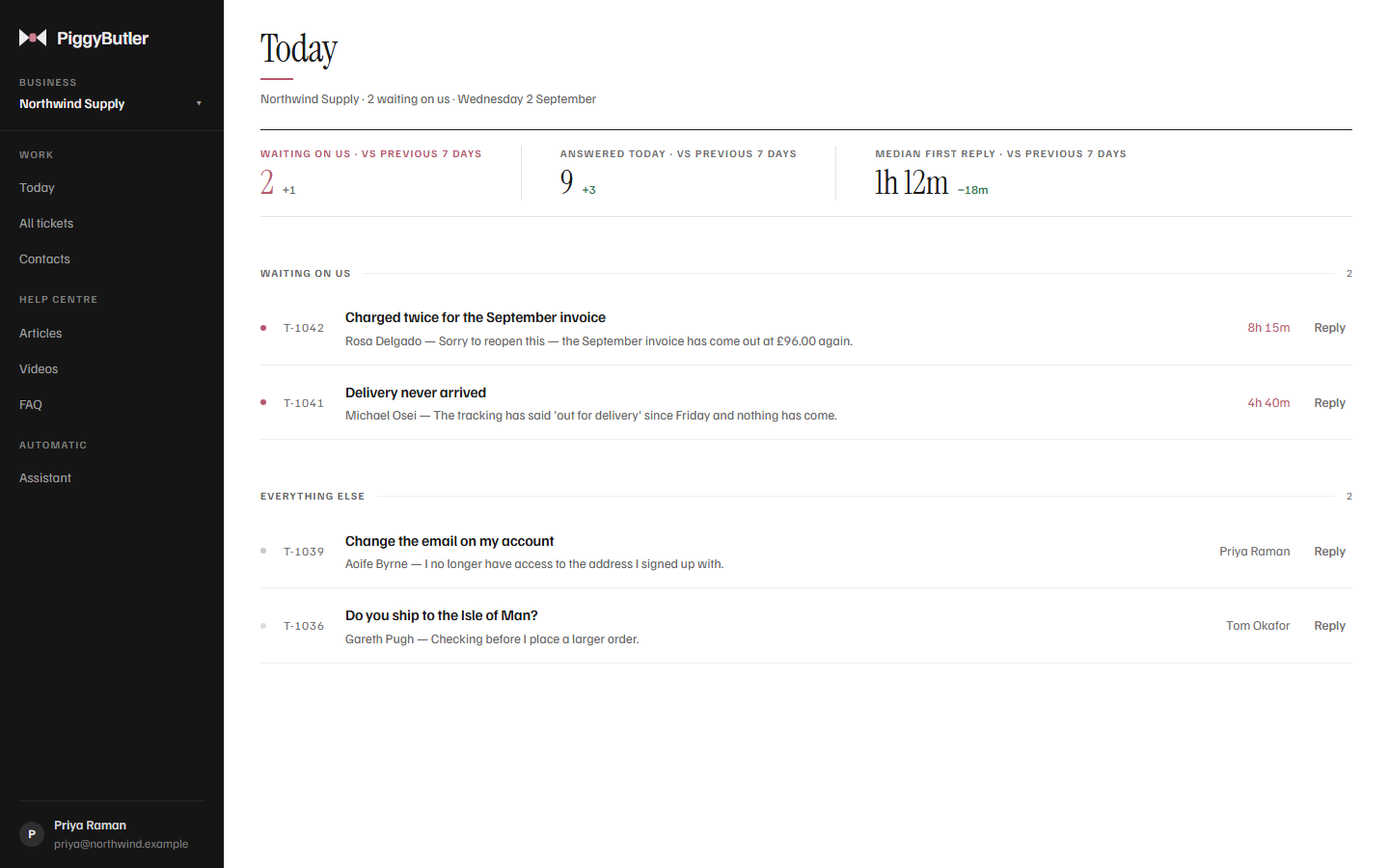
Anything waiting on you stays at the top of Today, with how long it has waited, until someone answers it.
- 3
The same question arrives every week.
Answer it once in your help centre. Customers find it by searching, and your replies can point to it.
- 4
Writing each reply from scratch takes the afternoon.
Keep the answers you give often as templates, or ask for a draft written from your own articles — then read it, change it, and send it yourself.
The best number in customer support
Nobody waiting. Nobody forgotten.
Everything waiting on you sits at the top of Today, with how long it has waited, until someone answers it. The goal is simple: get that number to zero.
Tickets
Every conversation, in one place.
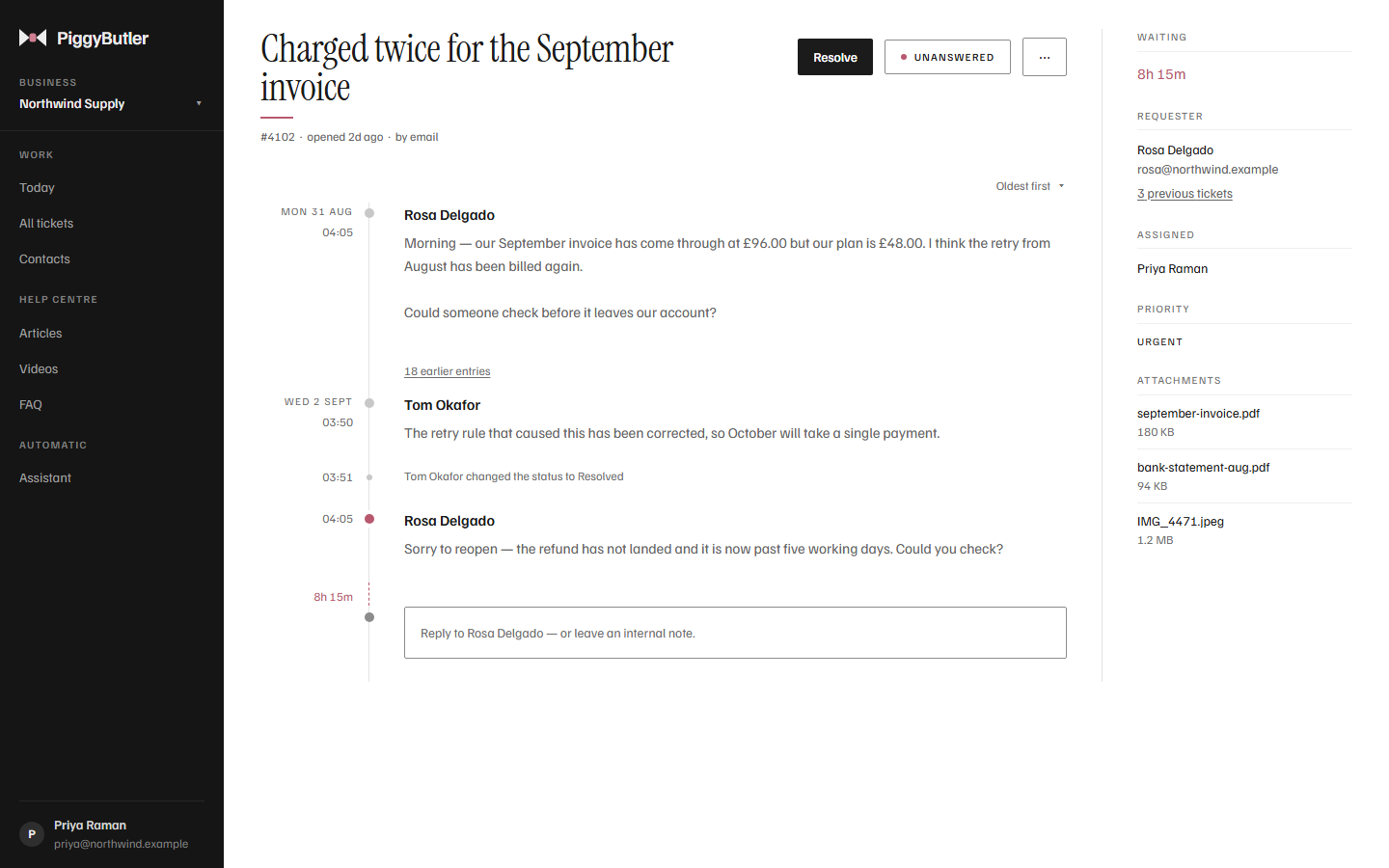
Forward your support address and each customer email arrives as a ticket. You reply from PiggyButler; your customer gets an ordinary email, and their answer lands back in the same conversation.
- Internal notes your customer never sees
- Assign a ticket, mark it urgent, resolve it
- Every change recorded — who, when, and what it was before
- Attachments kept with the conversation
Help centre
Answers your customers can find.
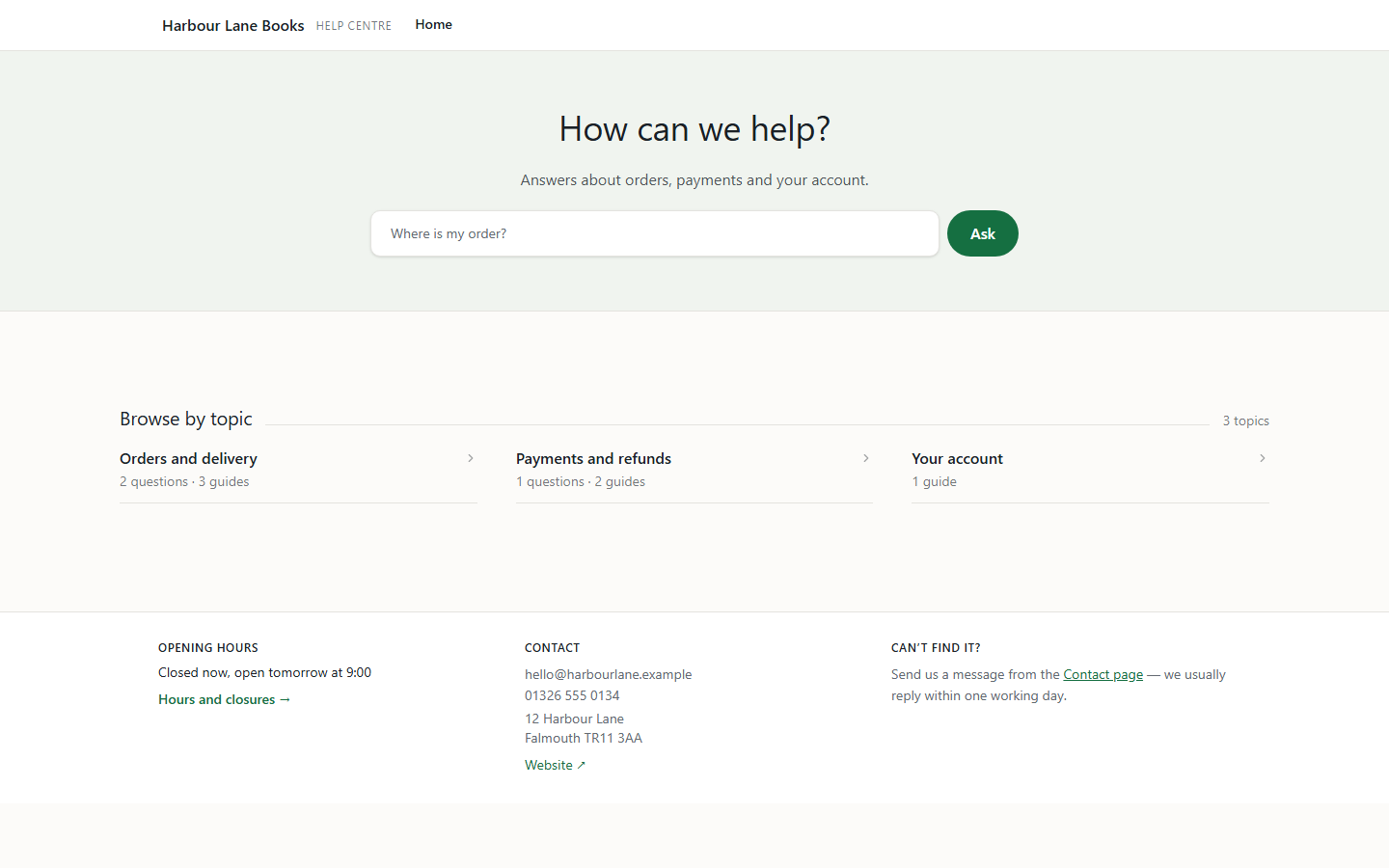
Publish articles and common questions on your own web address, with your logo and a choice of colours. Customers search, browse by topic, and see when you are open.
- Your own domain — help.yourbusiness.com
- Opening hours and closures shown for you
- A contact form that opens a ticket
- Articles you already have imported from a folder of files
Assistant
Your help centre answers questions.
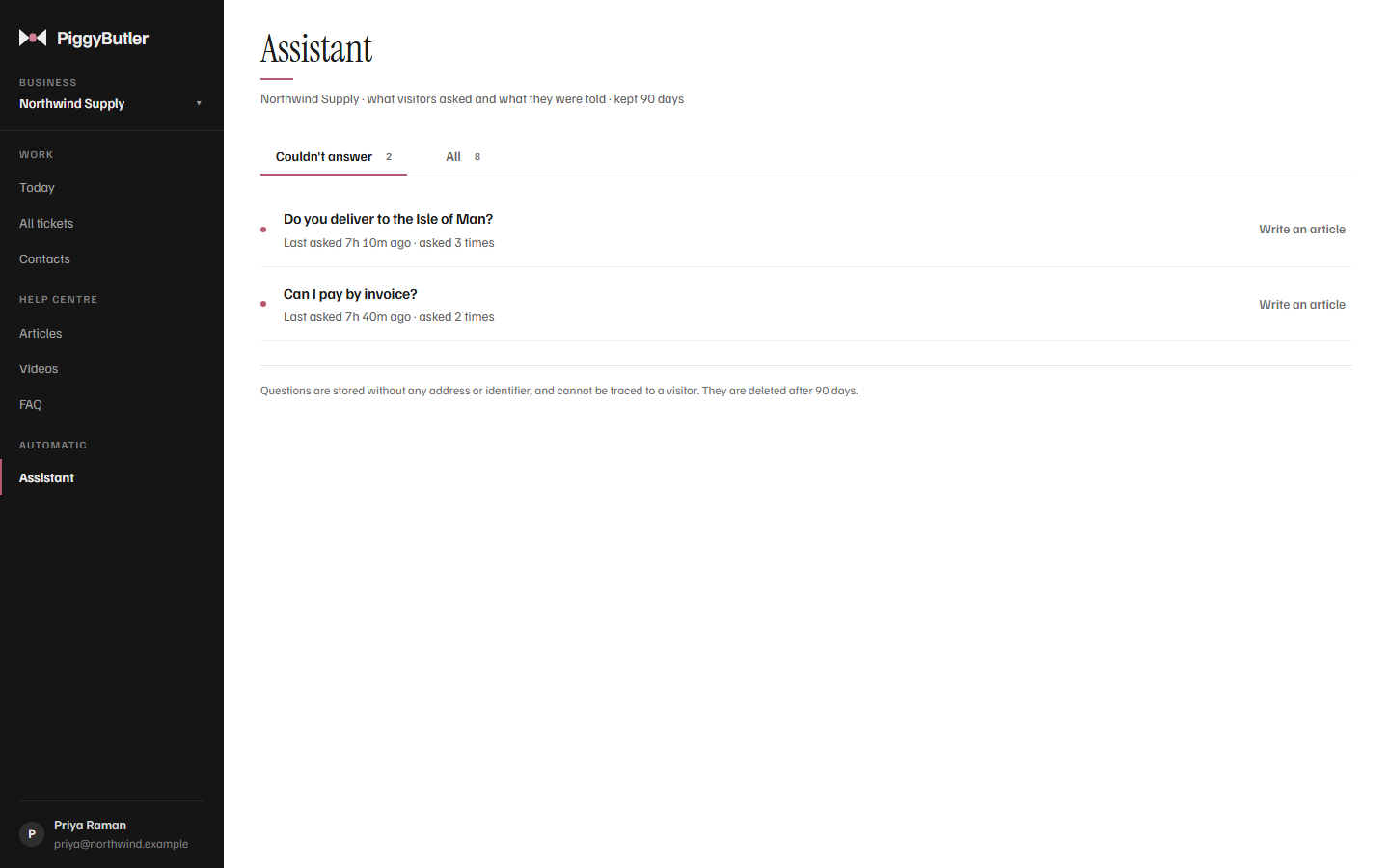
Visitors ask in their own words. The assistant answers from your published articles and common questions, links the articles it used, and when they do not cover it, says so plainly and shows the way to reach you.
- Only what you have published — never drafts, internal articles or notes
- It is told never to promise a refund, a date or a price; it says a person handles that
- It only answers — it never opens a ticket or changes anything
- See what visitors asked, and which questions it could not answer, so you know what to write next
- Questions are stored without any address or anything that identifies the visitor
- Off until you switch it on, and included in your plan's AI uses
AI drafts
It drafts. You decide.
Ask for a draft and PiggyButler writes a reply from your own published articles, showing which ones it used. You edit it and press Send.
How AI drafts work- Nothing is ever sent on its own — a person reads and sends every reply
- Grounded in your articles, not guesses about your policies
- Templates for the answers you give every week, with the customer's name filled in
- Included in your plan — no charge per answer
Pricing
One flat price. It does not go up as you hire.
Pay for the account, not for each person or each business. Both plans include the help centre, tickets and AI.
| Plan | Price | People | AI uses a month | Emails a month |
|---|---|---|---|---|
| SoloFor one or two people | $15/ month | 2 | 500 | 2,000 |
| TeamFor a growing team | $40/ month | No limit | 2,000 | 10,000 |
More than one business
Every business you run is included — up to ten, and more if you ask.
A busy month
Extra email is $10 for 2,500, added automatically when the month's allowance runs out.
More AI
500 more AI uses for $5, bought when you choose. They never expire.
What you can count on
Plain promises.
Only your team sees your customers.
Every business's tickets, contacts and internal notes are protected by rules in the database itself, so only that business's own team can see them — not merely hidden on the screen.
Nothing is sent without a person.
AI writes drafts for you to check. Every reply to a customer is sent by someone on your team.
Your history is kept.
Tickets are resolved, never deleted, so the record of what was said is always there.
Stopping is gentle.
If your subscription ends, your help centre and incoming email keep working and nothing is deleted. Replying resumes the moment you pay.
Try it with your own inbox.
Forward your support address to PiggyButler and your next customer email arrives as a ticket.