Assistant
Your help centre, answering questions.
Visitors ask in their own words. The assistant reads your published articles and common questions, answers from them, and links the articles it used. When they do not cover the question, it says so plainly — and shows the way to reach you.
- 1
A visitor asks
In the search box on your help centre, or in its "Message us" panel.
- 2
It looks in your help
Only your published, public articles and common questions — nothing else.
- 3
It answers, with sources
A short answer in plain English, naming the articles it came from so the visitor can read them.
- 4
Or it hands over
If your help does not cover it, it says it does not know and points to your contact form.
Visitors can ask a follow-up in the same conversation. The panel tells them that answers come from your help articles and can be wrong, and to check the sources.
Things it can change
It answers. That is all it can do.
It cannot open a ticket, send an email or change anything in your account. It is told never to promise a refund, a date, a price or an exception, and to say that a person handles those. Every link it gives is to one of your own articles.
The rules it follows
Narrow on purpose.
Drafts, staff-only articles and internal notes are out of its reach — not hidden from it, but never given to it.
If your articles do not cover a question, it is told to say so rather than guess or reach for general knowledge.
Every answer names the articles it used, so visitors can read the real thing.
What you see
Learn what your customers are really asking.
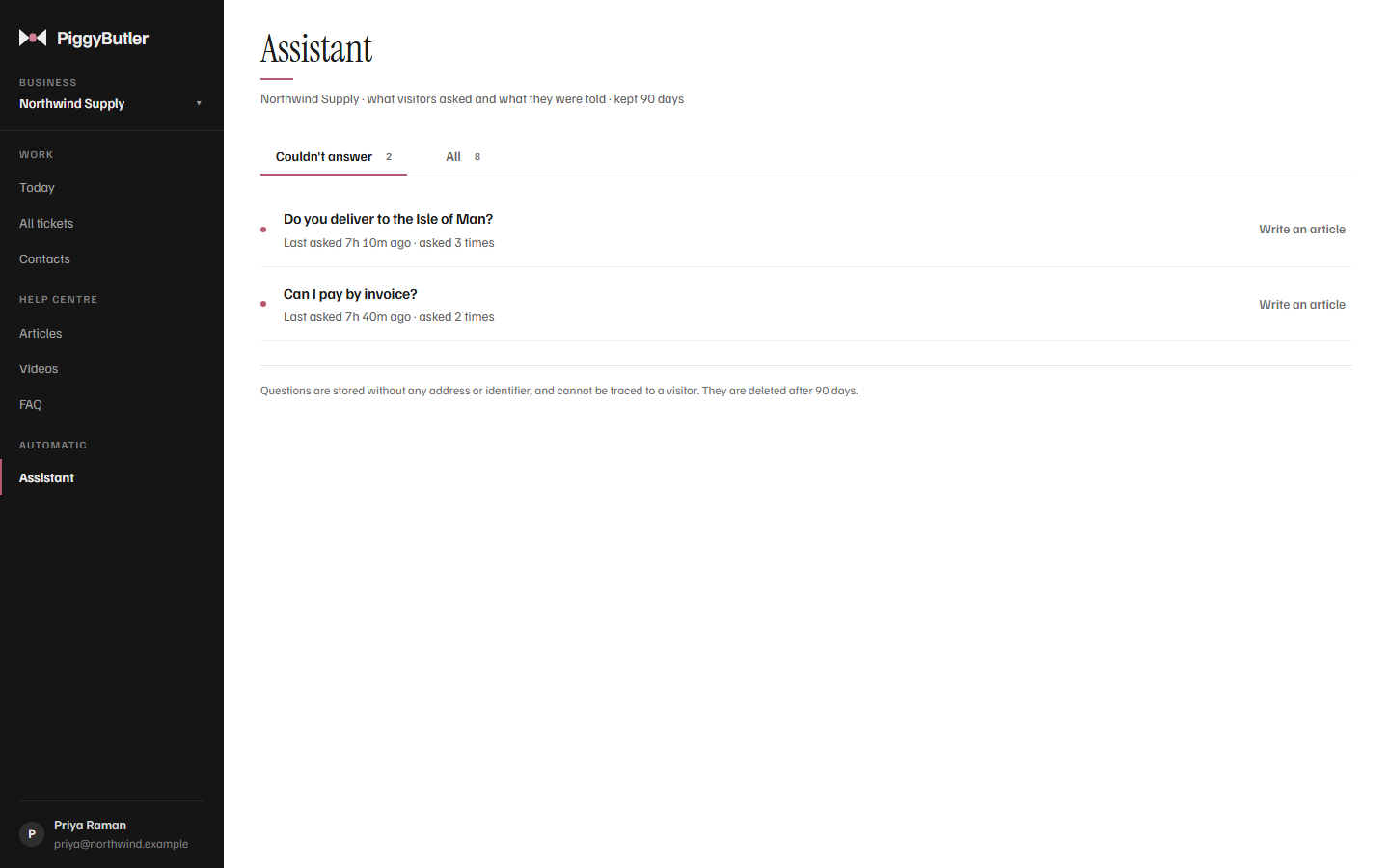
Read every question visitors asked and the answer they were given, with its sources. The ones it could not answer are gathered on their own, each with a button to write the article that would.
- Couldn't answer — the gaps in your help, and how often each was asked
- All — every question, answer and source
- No visitor details — questions are stored without any address or identifier
Switching it on
One switch, whenever you are ready.
Where is it?
In your settings, under the help centre's home page. It is off until you turn it on.
What does it cost?
Each answer is one AI use from your plan's monthly allowance — 500 on Solo, 2,000 on Team. A question your articles cannot help with does not use one.
What happens if the AI uses run out?
The assistant quietly steps off your help centre until the allowance resets, or until you add 500 more for $5. Search, articles and the contact form keep working.
How good will the answers be?
As good as your articles. Clear articles that open with the answer give clear answers — and the questions it could not answer tell you which article to write next.
Let your help centre do the asking.
Write your articles, switch on the assistant, and see what your customers ask.