Tickets
Every customer email, in one shared place.
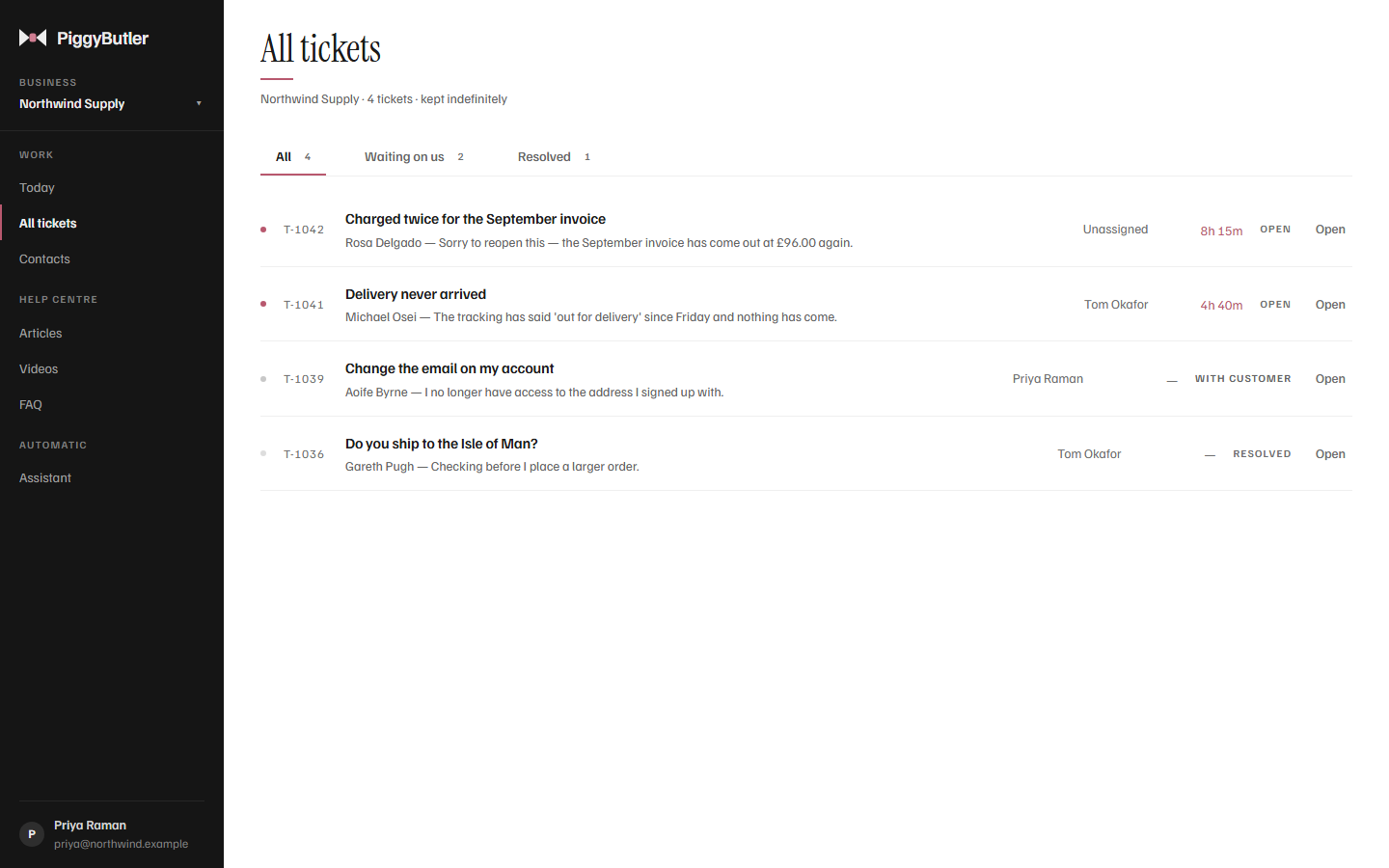
Keep the email address your customers already use. Forward it to PiggyButler, and every message becomes a ticket your whole team can see, answer and close — while your customers carry on using ordinary email.
How it works
Nothing changes for your customers.
- 1
A customer writes in
By email to your usual support address, or through the contact form on your help centre.
- 2
It becomes a ticket
With the customer's details, any attachments, and — if you want — an automatic note saying you have their message.
- 3
You reply
From PiggyButler. Your customer receives an ordinary email.
- 4
Their answer comes back
Into the same ticket, so the whole conversation stays in one place.
The number that matters
Know exactly who is waiting.
Today puts every customer waiting on a reply at the top, with how long they have waited, and keeps them there until someone answers.
The ticket
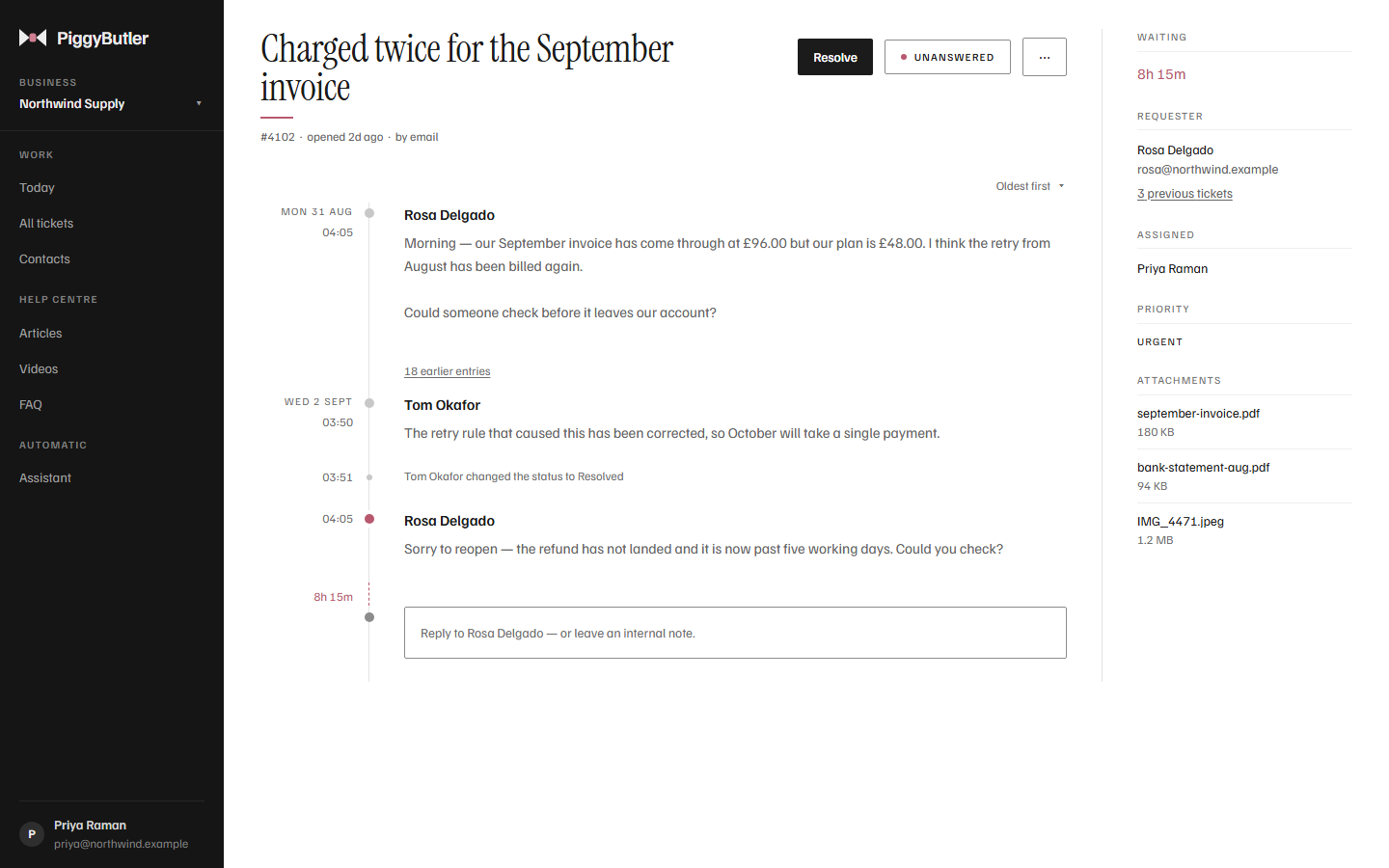
The whole conversation, and everything around it.
- Assign it to someone, so it is clear whose reply it is
- Open, waiting on the customer, or resolved — and urgent when it is
- Internal notes your customer never sees
- Attachments kept with the conversation
- Every change recorded — who, when, and what it was before
Also in the box
The small things that save the afternoon.
Templates
Keep the answers you give every week, sorted into categories, and drop one into a reply with the customer's name and ticket number already filled in. You read it before it goes.
AI drafts
Ask for a reply written from your own articles, edit it, and send it yourself. How AI drafts work
Contacts with their history
Open a customer to see every conversation they have had with you, grouped by ticket, and reply from there.
An automatic "we have your message"
Optional, and in your own words, so a customer knows their email arrived.
Tickets you start yourself
For a phone call or a conversation at the counter that needs following up.
Several businesses, one sign-in
Switch between businesses from the sidebar. Each keeps its own tickets, contacts and help centre.
Replies stay with the right person
If a reply to a ticket comes from an address we do not recognise, it opens a new ticket rather than joining someone else's conversation.
Try it with your own inbox.
Forward your support address to PiggyButler and your next customer email arrives as a ticket.